
In this guide
Key Takeaways
- Cable sleeves work best when several leads share the same route from a monitor, dock, or power strip.
- Cable trays are the main under-desk option for keeping power bricks, extension blocks, and excess lead length off the floor.
- Adhesive cable clips suit single leads that need a fixed path along a desk edge, monitor stand, or wall.
- Cable raceways are the better choice when several cables need to follow the same wall or skirting-board route over a visible distance.
- Some cable-management products solve one routing problem well but become awkward if your setup changes later.
What to Look For
Cable Sleeves
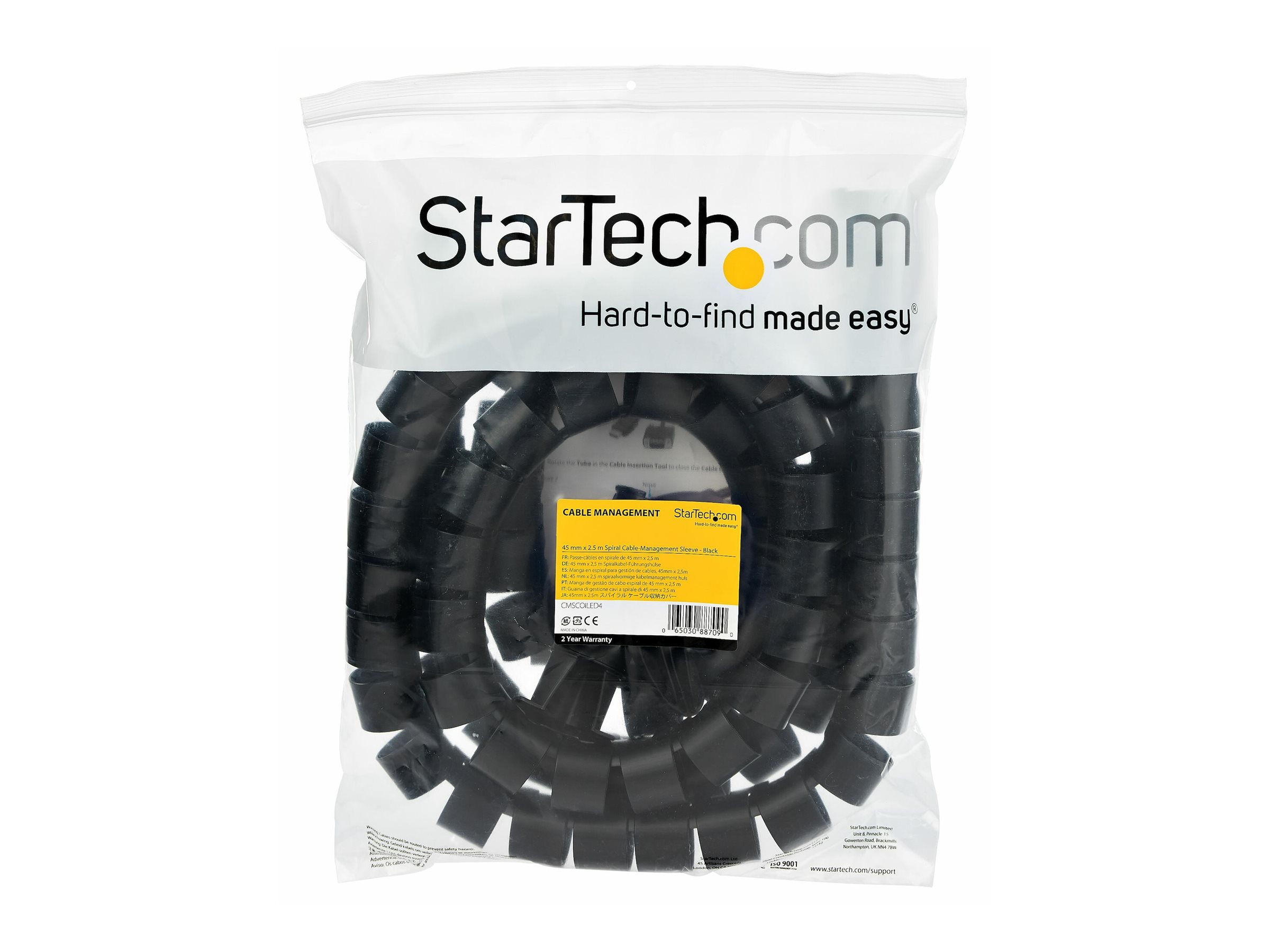
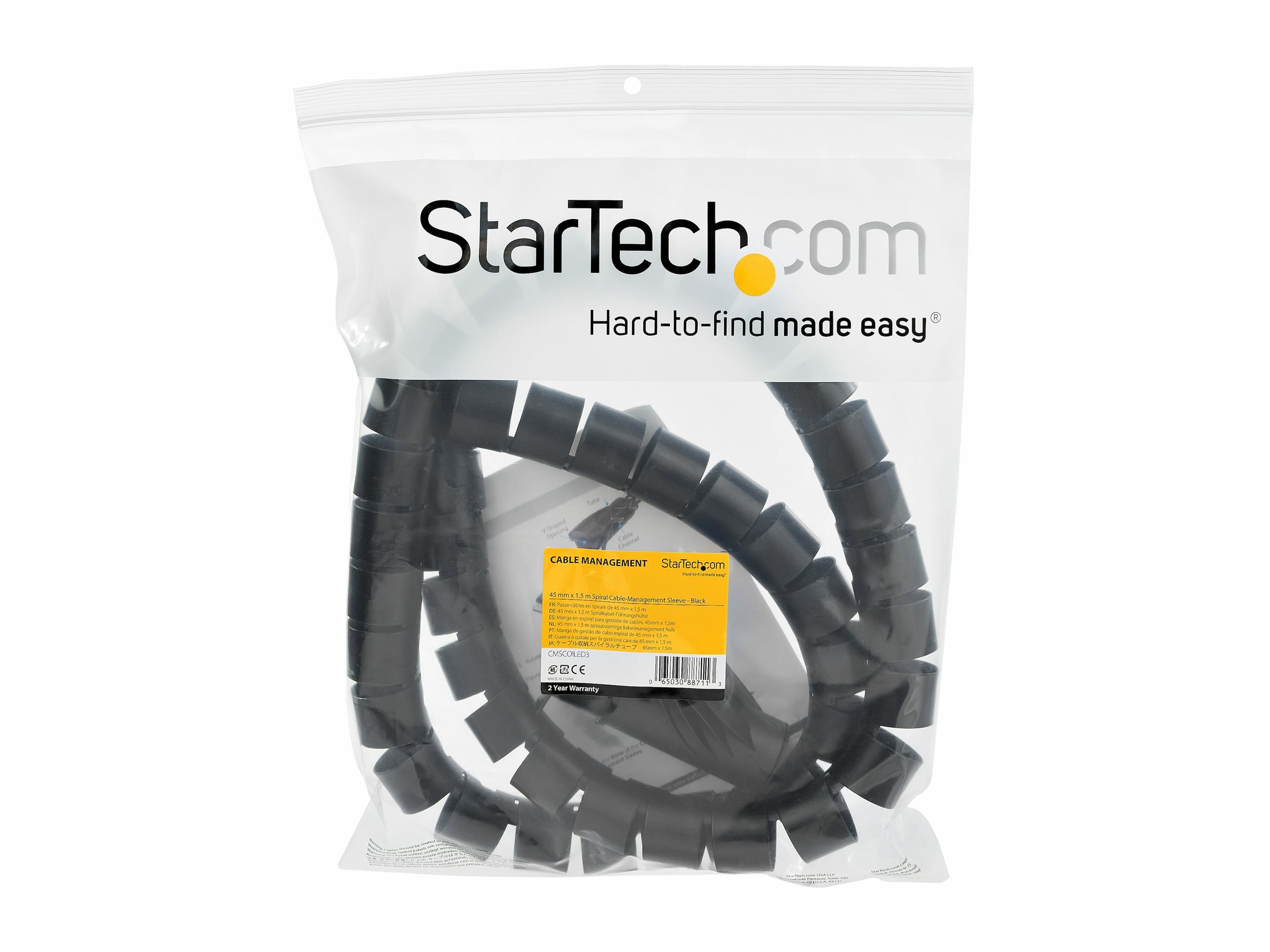
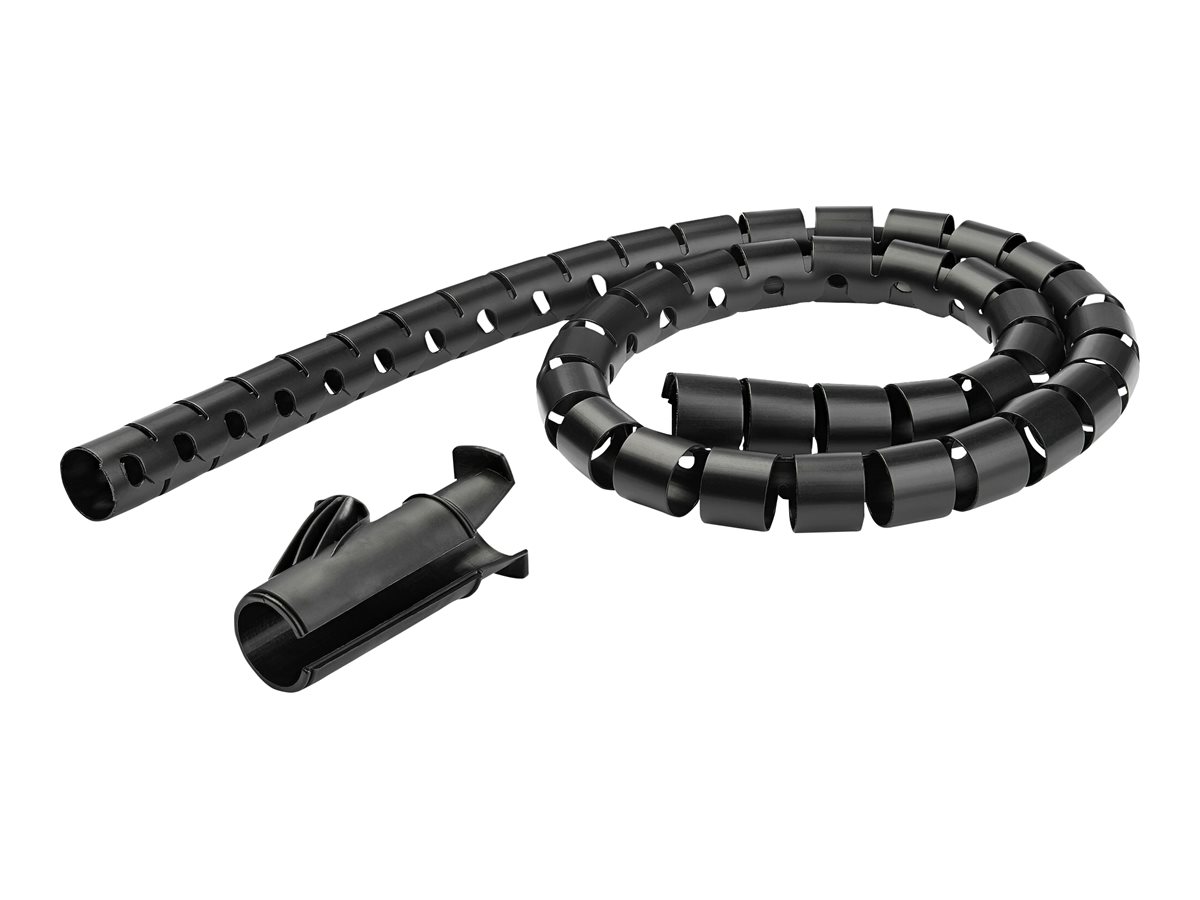
Cable sleeves are useful when several leads follow the same route from a monitor, dock, or power strip. They bundle multiple cables into one run, which reduces visual clutter and makes it less likely that individual leads will snag when you move equipment. For desk setups, the main point to check is capacity. A sleeve that is too narrow can strain connectors or force sharp bends near plugs, while an oversized sleeve can look untidy and allow cables to shift around inside.
Material and closure style affect day-to-day use. Flexible fabric sleeves are easier to reopen when you swap peripherals, while split or wraparound designs simplify retrofitting because you do not need to disconnect every cable first. If you expect to add or remove devices regularly, access matters as much as appearance. Also check whether the sleeve needs to pass around bulky plugs, power bricks, or ferrite beads, because these can limit what will fit even when the cable count looks modest.
-
Check the sleeve diameter or stated cable capacity, not just its flat width.
-
Split, zip, or wraparound designs are easier to fit to existing cable runs.
-
Leave enough room near connectors to avoid tight bends and strain.
-
Consider whether bulky plugs or adapters will fit through the sleeve opening.
Cable Clips and Cable Ties
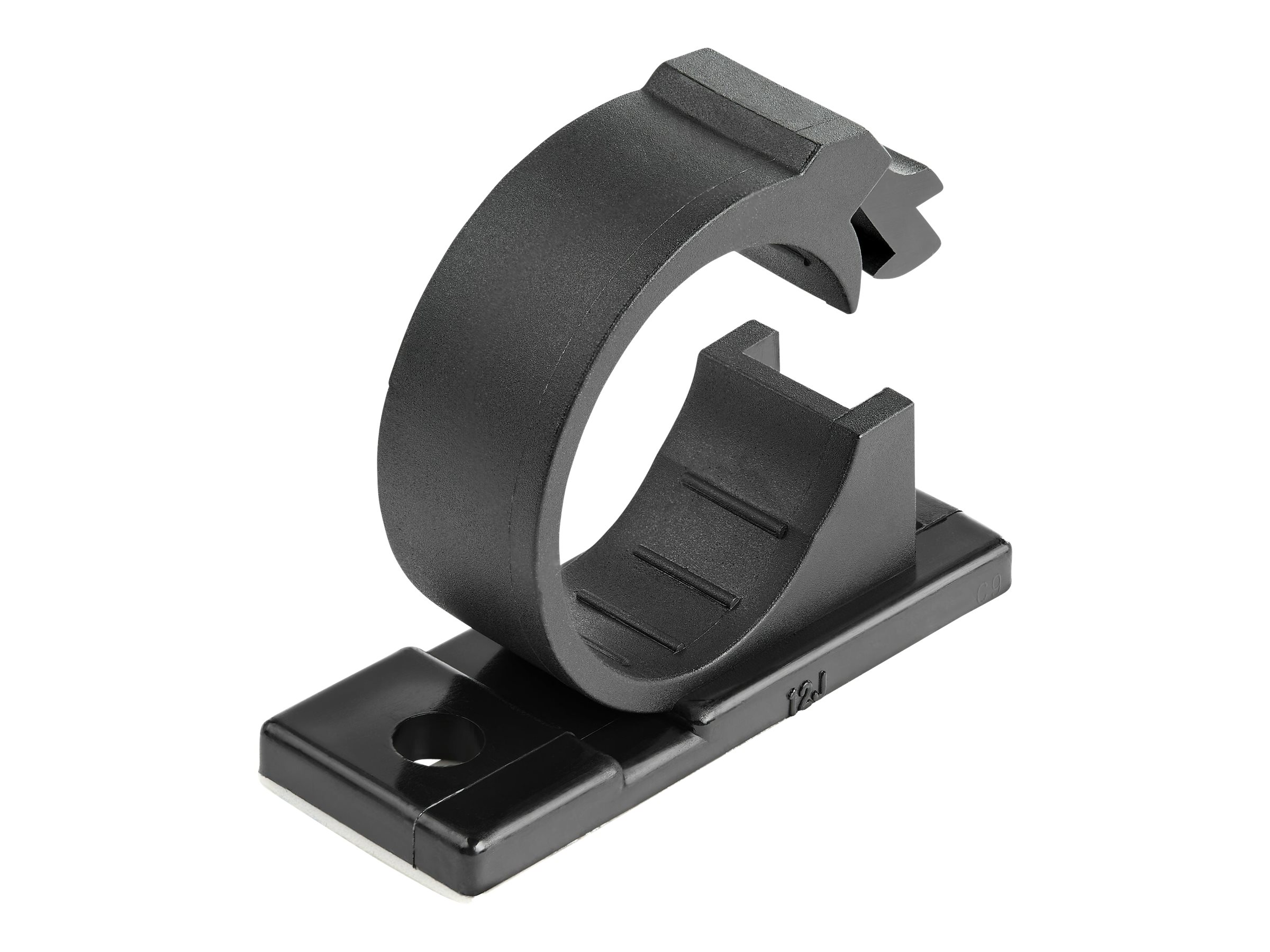
Cable clips work best where you need to hold individual leads in a fixed position, such as along a desk edge, behind a monitor stand, or down the side of a cabinet. The key comparison point is how permanent the installation needs to be. Adhesive clips are quick to place and useful on finished furniture, but they depend heavily on surface preparation and may lose grip on dusty, textured, or warm surfaces. Screw-fix clips are more secure for longer runs or heavier cables, especially where movement or vibration is expected.
Cable ties solve a different problem. They are for bundling and strain control rather than guiding a cable along a surface. Reusable hook-and-loop ties are usually the more practical choice for desks because they can be reopened when layouts change. Single-use ties hold firmly, but they are less convenient for setups that evolve over time and can be overtightened, which risks compressing softer cable jackets. For data and charging leads, the ability to adjust tension without tools is often more useful than maximum holding force.
Use clips to define the cable path, then use ties only to group slack or keep parallel runs together. One product rarely does both jobs well.
-
Adhesive clips suit light-duty routing on smooth, clean surfaces.
-
Screw-fix clips are better for heavier cables or permanent runs.
-
Hook-and-loop ties are easier to reuse and adjust than single-use ties.
-
Avoid overtightening bundled cables, especially around data or charging leads.
Cable Trays

Under-desk cable trays are designed to lift power strips, adapters, and excess lead length off the floor. This improves cleaning access and reduces the chance of feet catching on hanging cables. When comparing trays, start with mounting method and internal space. Some are intended only for light cable bundles, while others need enough width and depth to hold a power strip plus transformer plugs. If you use several large power adapters, tray depth becomes more important than overall length.
Access is the second major factor. A tray that fully encloses cables can look neater, but it may be awkward when you need to replace a charger or move a plug. Open-top or open-sided designs are easier to work with in shared desks or hot-desk environments where devices change often. Also think about where cables enter and exit. A tray is most effective when it supports the natural route from desktop devices down to power and data connections, rather than forcing cables into unnecessary loops.
| Product category | Best for | Key differentiators |
|---|---|---|
| Cable sleeves | Bundling several visible cables | Capacity, flexibility, ease of reopening |
| Cable clips and ties | Guiding single leads and managing slack | Fixing method, reusability, tension control |
| Cable trays | Hiding adapters and lifting cables off the floor | Mounting style, tray depth, access to plugs |
-
Check tray dimensions against both cable volume and plug size.
-
Prioritise access if you regularly swap chargers or peripherals.
-
Open designs are easier to maintain than fully enclosed ones.
-
Plan cable entry and exit points before fixing the tray in place.
Cable Trunking and Floor Cable Covers
Cable trunking is intended for wall edges, skirting runs, and other fixed routes where you want cables enclosed and protected. It is a better fit than sleeves or clips when the run is long and unlikely to change often. The important details are internal channel size and how easily the cover opens again. If the trunking is too shallow, the lid may not close properly once bends and crossings are added. For mixed runs, such as power and signal leads together, leave enough internal space so cables are not forced into tight layers.
Floor cable covers address a different risk, which is foot traffic across exposed leads. Here, profile and visibility matter as much as capacity. A cover needs to accommodate the cable diameter without creating an unnecessary trip edge. In home offices and shared workspaces, this is often the safest option for a cable that must cross an open walkway. Measure the full bundle, not each cable individually, because a group of leads can sit higher than expected once enclosed.
Floor covers reduce trip risk, but they still create a raised surface. They work best when the cable route is kept as short and direct as possible.
-
Use trunking for fixed wall or skirting routes that need a cleaner finish.
-
Check internal channel size with bends and cable crossings in mind.
-
Choose floor covers based on bundle height as well as cable count.
-
Keep walkway crossings short to minimise raised edges and visual clutter.
Key Specifications to Compare
Cable Trays
Cable trays are the main desk-level solution for keeping power bricks, extension blocks, and excess lead length off the floor. The first specification to compare is mounting method: screw-fixed trays usually carry more weight and stay rigid under repeated cable changes, while clamp-on versions avoid drilling but can interfere with thick desk edges or rear support rails. Width and depth matter just as much as stated load, because a tray that fits a power strip but not its plugs is of limited use.
Open-wire and solid-bottom trays behave differently in daily use. Open-wire designs make it easier to thread cables in from any angle and improve airflow around chargers, but small adapters can tilt or catch between the gaps. Solid trays support smaller accessories and loose coils better, though they can make dust accumulation less visible until the tray is full. For sit-stand desks, compare not only tray size but also whether the tray leaves enough clearance for crossbars, motor housings, and the full travel of the frame.
-
Check mounting type against desk construction, especially edge thickness and any metal frame under the top
-
Compare internal tray dimensions, not just external size, if you need to house power strips or adapters
-
Open-wire trays favour access and airflow; solid trays favour support for smaller items
-
For height-adjustable desks, confirm clearance around crossbars and moving components
Measure the largest plug already in use, not just the power strip body, because angled and transformer-style plugs often determine the tray depth you actually need.
Cable Boxes
Cable boxes are designed to contain extension blocks and the cluster of plugs around them, which makes them most useful at floor level or on low shelves. The key specification here is internal capacity relative to plug orientation. A box that fits a standard extension strip may still be too narrow once side-entry plugs or bulky USB chargers are connected. Lid design also matters, because some boxes rely on a loose cover while others use cable slots that hold the lid in place when several leads exit at once.
Material and ventilation affect where a cable box works well. Plastic boxes are common and easy to move, but the more important comparison point is whether the enclosure leaves enough airflow around chargers and power supplies. If you plan to place one under a desk, compare cable exit positions on both sides, because fixed entry points can force sharp bends or stop the box sitting flush against a wall. Child and pet households should also look at how securely the lid closes and whether sockets remain exposed through large openings.
-
Compare usable internal space with plugs connected, not the strip alone
-
Check cable exit positions to avoid tight bends and awkward wall placement
-
Ventilation matters more when chargers and power adapters are enclosed
-
Lid security is relevant where children or pets can reach the box
Cable Clips and Cable Holders
Cable clips and cable holders solve a different problem from trays and boxes: they control the last 10 to 50 cm of cable where access matters most. The main variables are mounting adhesive, clip opening size, and whether the holder is intended for a single cable or several. A clip sized for a phone charging lead will not reliably retain a thicker USB-C, HDMI, or power cable, and an oversized clip often lets lighter leads slip out when tension changes.
Surface compatibility is the second major comparison point. Adhesive-backed clips depend heavily on the desk finish, temperature, and whether the surface is flat enough for full contact. Magnetic or screw-fixed holders avoid some adhesive failures, but they require a compatible metal surface or permanent fixing. If you regularly swap devices, compare whether the holder allows cables to be lifted in and out easily, because some closed clips are tidier but slower to use than open-top retainers.
| Product type | Best for | Key spec to compare | Main limitation |
|---|---|---|---|
| Adhesive cable clips | Light leads on smooth desks | Adhesive pad size and cable diameter | Bond can weaken on textured or dusty surfaces |
| Magnetic cable holders | Frequently moved charging leads | Magnet strength and base mounting | Needs compatible cable heads or holder design |
| Screw-fixed clips | Permanent routing under desks or along walls | Clip size and fixing points | Leaves holes and takes longer to reposition |
-
Match clip diameter to the actual cable thickness, including any braided outer jacket
-
Check whether the holder is open-top or closed if you reconnect devices often
-
Adhesive performance depends on surface finish and preparation
-
Use screw-fixed clips where cable tension is constant or heavier leads are involved
Adhesive clips often fail because of surface contamination rather than poor adhesive. Cleaning and fully drying the mounting area usually matters more than pressing harder.
Cable Raceways and Trunking
Raceways and trunking are the structured option for longer visible runs along walls, skirting boards, or the underside of desks. The most important specification is internal channel size, because capacity drops quickly once bends and junctions are added. Comparing straight length alone is not enough; corner pieces, T-junctions, and end caps determine whether the route stays neat around room features and furniture.
The opening mechanism also changes how easy the system is to live with. Snap-on covers are quick for initial installation, but some are harder to reopen when adding a cable later. Hinged designs improve access but can project further from the wall. If appearance matters, compare profile shape and paintability only where stated by the manufacturer, and check whether the trunking is intended for low-voltage data leads, mains cables, or both. Separation can be important if you want to keep signal cables away from power runs.
-
Size the channel for future additions, not only the cables installed today
-
Compare available corners, junctions, and end pieces for the route you need
-
Check how easily the cover reopens if cables may change later
-
Confirm suitability for the cable types being routed, especially where mains and data are involved

Advantages and Disadvantages
Some cable-management products solve a very specific problem well, but become awkward when your setup changes. Others are less tidy visually, yet make upgrades and fault-finding much easier. The trade-off is usually between concealment, access, and how permanent you want the installation to be.
| Product category | Main advantage | Main drawback | Best for | Less suitable for |
|---|---|---|---|---|
| Cable clips | Fast, low-cost routing | Limited capacity, adhesive can fail | Single leads and short runs | Thick bundles or heavy power cables |
| Cable boxes | Hides extension blocks and slack | Takes floor or desk space, can trap heat if overfilled | Living areas and visible floor runs | Large adapters or frequently changed plugs |
| Spiral wrap | Flexible around branching cable groups | Slower to install and remove than clips | Bundles that split off to several devices | Setups needing frequent cable swaps |
Cable Clips
Cable clips are one of the simplest ways to control individual leads along a desk edge, wall, or the back of furniture. Their main advantage is precision. You can separate charging cables, display leads, and peripheral wires instead of forcing everything into one bundle. That makes tracing a single cable much easier when you need to unplug a device or replace one lead without disturbing the rest of the setup.
The downside is capacity and durability under load. Small clips work well for light cables, but they are not ideal for thick mains leads, transformer cables, or heavy grouped runs. Adhesive-backed versions also depend heavily on surface preparation. Dust, textured finishes, and heat can reduce bond strength, so clips that look neat on day one may start peeling if they are asked to carry too much weight or tension.
Use clips to guide cables to the right place first, then add bundling only where several leads genuinely share the same route.
-
Strong for separating individual leads and keeping them accessible
-
Useful where cables need to enter and leave different points along a desk
-
Less effective for heavy cables or large grouped runs
-
Adhesive performance depends on a clean, suitable surface
Cable Boxes
Cable boxes are designed to hide extension blocks, spare cable length, and bulky plugs in one enclosure. Their main advantage is visual reduction of clutter in exposed areas, especially around floor-level sockets, TV units, and open desks. They also help prevent loose leads from spreading across the floor, which can reduce snagging and make vacuuming around the area easier.
Their disadvantages are mostly practical. A box does not shorten cables, it only contains the excess, so internal space fills quickly if you have large power adapters or several long leads. Access can also become slower, because every plug change means opening the box and sorting through what is inside. If overpacked, boxes can also make it harder to keep plugs separated and cables untwisted, which undermines one of the main reasons for organising them in the first place.
Cable boxes improve appearance, but they are not a substitute for checking that plugs, adapters, and excess lead length actually fit without being forced together.
-
Good for hiding extension blocks and spare lead length in visible areas
-
Helps reduce floor clutter and accidental snagging
-
Internal capacity varies sharply with plug size and adapter shape
-
Slower to access than open routing solutions
Spiral Wrap
Spiral wrap sits between full bundling and open routing. It gathers several cables together while still allowing individual leads to branch out at different points. That flexibility is its main advantage. It suits desks where one bundle leaves a dock or PC, then splits towards monitors, speakers, chargers, and accessories at different heights or distances.
The compromise is convenience during installation and maintenance. Adding or removing a cable usually means winding it through the wrap rather than simply pressing it into place. That is manageable for stable setups, but less appealing if you regularly swap peripherals, test hardware, or move equipment between desks. Spiral wrap also leaves parts of the cable visible, so it looks more technical than fully enclosed solutions.
Spiral wrap works best when the bundle changes direction or branches often, because that is where rigid channels and simple ties become less practical.
-
Better than fixed bundling for cable groups that split into several branches
-
Keeps runs together without fully enclosing them
-
Slower to reconfigure than clips or open guides
-
More functional than discreet in highly visible setups
Cable Ties and Hook-and-Loop Straps
Cable ties and hook-and-loop straps are often compared because both gather excess length and keep bundles under control, but they behave very differently over time. Hook-and-loop straps are the more adaptable option. They can be reopened repeatedly, which makes them useful for desks that change with new peripherals, monitor arms, or docking arrangements. They also make it easier to adjust bundle size as cables are added or removed.
Traditional cable ties are more secure once fitted, but that security is also their weakness in a desk environment. Every change requires cutting and replacing the tie, which slows maintenance and increases the risk of overtightening around delicate signal or charging cables. For permanent or rarely altered runs they can be tidy and effective, but for most workstation setups, reusability matters more than a slightly firmer hold.
If you expect to add devices later, reusable fastening usually saves more time than a tighter one-off bundle.
-
Hook-and-loop straps suit setups that change regularly
-
Cable ties hold firmly but must be cut off for access
-
Both help control excess length and reduce loose loops
-
Overtight bundling can make cable tracing and replacement harder
Our Top Picks
Adhesive Cable Clips
Adhesive cable clips suit single leads that need a defined route along a desk edge, monitor stand, or wall. They are most useful where a cable must stay accessible, such as a charging lead that is plugged and unplugged daily, or a headset cable that tends to slip behind furniture. Compared with sleeves or trays, clips keep each run separate, which makes tracing and replacing one lead much easier.
The main variable is the clip channel size relative to the cable diameter. A clip that is too tight can stress the outer jacket, while one that is too loose allows the cable to twist out when moved. Adhesive quality matters just as much as clip shape. Smooth, clean surfaces usually hold well, but textured finishes, dusty undersides, and warm areas near power adapters can reduce bond strength over time. Repositionable options are convenient during setup, but fixed adhesives often hold better once the route is final.
Use clips to control the first 20 to 30 cm of a cable run near the device, then hand off longer lengths to trays or raceways so the cable is both tidy and easy to service.
-
Best for single cables that need frequent access
-
Easier to reroute one lead than bundled systems
-
Check clip opening against the actual cable thickness, especially for USB-C, HDMI, and power leads
-
Adhesive performance depends heavily on surface preparation and temperature
-
Less suitable for heavy transformers or thick cable bundles
Cable Raceways
Cable raceways are designed for visible runs that need more coverage than clips can provide. They are especially useful along skirting boards, under wall-mounted desks, or across the back edge of a worktop where several cables travel in the same direction but should remain concealed. A raceway gives a cleaner finish than exposed clips because the cables sit inside a channel behind a cover.
Capacity and access are the two points that matter most. Narrow raceways work for a few signal cables, but power leads with moulded plugs and ferrite beads need more internal space, particularly at entry and exit points. A snap-on lid is quicker to open when adding or removing cables, while a more secure cover is preferable in areas where the run may be knocked. If the route includes corners, check whether the system supports matching bends or whether the channel can be cut neatly without leaving gaps.
Raceways hide cables well, but they also hide heat build-up and tight bends. Do not overfill the channel, especially where mains leads and power adapters are involved.
-
Better for longer visible runs than small adhesive clips
-
Internal capacity matters more than external dimensions suggest
-
Removable covers simplify later changes to monitors, docks, and chargers
-
Corner compatibility affects how neat the finished route looks
-
Overfilling makes maintenance harder and can strain connectors
Cable Boxes
Cable boxes address a different problem from trays and raceways. They contain an extension block, spare plug length, and sometimes bulky adapter heads at floor level or on a shelf. This is useful in rooms where open sockets and loose loops are exposed to pets, children, or cleaning equipment. A box does not route the cables for you, but it reduces visual clutter and limits accidental contact with plugs and switches.
Size and ventilation are the practical checks here. The box needs enough internal volume for the extension block and the bend radius of each cable as it enters and exits. If the lid presses down on plugs or forces cables into sharp angles, the box is too small for the setup. Ventilation openings are important when several chargers or adapters generate heat. Access also matters, because some boxes are easy to open for resetting a switch or swapping a plug, while others prioritise a cleaner exterior over convenience.
Measure the extension block including plugged-in adapters, not just the bare strip, because transformer plugs often determine whether the lid closes properly.
-
Useful for containing extension blocks and excess plug length
-
Helps reduce contact with plugs in shared or high-traffic spaces
-
Internal height is critical when using bulky adapter heads
-
Ventilation matters where chargers remain connected for long periods
-
Tidier appearance can come at the cost of slower access to switches
Cable Ties and Hook-and-Loop Straps
Cable ties and hook-and-loop straps are the simplest tools for controlling slack and grouping related leads. They work well behind monitors, under desks, and inside media units where the goal is to stop loops from hanging down or tangling with neighbouring cables. For comparison shoppers, the key distinction is not just reusable versus disposable, but how often the cable set changes.
Hook-and-loop straps are usually the better fit for desks with rotating devices, swapped peripherals, or seasonal changes in equipment. They can be reopened without cutting and are less likely to pinch delicate data cables. Traditional ties hold a bundle more firmly and take up less space, which can help in dense areas, but they are less forgiving if tightened too much. In either case, bundling should follow cable function. Group low-voltage device leads together only where it improves access, and avoid creating one large bundle that makes fault-finding difficult.
| Type | Best use | Main advantage | Main limitation |
|---|---|---|---|
| Hook-and-loop straps | Frequently changed desk setups | Reusable and adjustable | Bulkier than simple ties |
| Standard cable ties | Fixed bundles in tight spaces | Secure hold and low profile | Must be cut to remove |
| Twist ties | Very light temporary grouping | Quick to apply | Lower long-term durability |
Tight bundling can make a desk look neater while increasing strain at the connector end. Leave a little movement near ports, especially on laptops, docks, and monitor hubs.
-
Good for managing slack and grouping related leads
-
Reusable straps suit setups that change regularly
-
Standard ties are slimmer but less serviceable
-
Avoid overtightening, particularly on data and charging cables
-
Smaller, functional bundles are easier to trace than one large loom
Frequently Asked Questions
When should I choose cable raceways instead of cable clips?
Cable raceways are better when several cables need to follow the same wall or skirting-board route, especially over a visible distance. Cable clips work better for one or two leads that may need to be moved often, because each cable remains individually accessible.
Are under-desk cable trays enough on their own?
Not usually. A tray keeps excess length, power strips, and adapters off the floor, but it does not control the route from the tray to the desktop or from the desk to the wall outlet. Most desks need a tray plus either clips, a raceway, or a floor cover to manage the full run.
Do adhesive mounts damage desks or walls?
They can, depending on the surface finish and the adhesive used. Painted walls, veneered chipboard, and some laminated finishes are more likely to mark or lift during removal than metal or sealed solid surfaces.
> **Worth knowing:** Adhesive-backed parts usually hold less reliably on dusty, textured, or oil-finished surfaces, even when the stated weight rating looks sufficient.
What is the difference between hook-and-loop ties and plastic zip ties?
Hook-and-loop ties are reusable and better for desks, AV racks, and charging setups that change regularly. Plastic zip ties hold firmly and stay compact, but they are single-use and make later changes slower because each tie must be cut and replaced.
Which cable ties are safest for data and charging leads?
Softer, wider ties reduce the chance of pinching insulation or sharply bending thinner leads. This matters more with USB, network, and display cables than with thicker mains leads, because signal and charging performance can be affected by repeated strain at the same point.
Do floor cable covers matter if the cables already look tidy?
Yes, if any lead crosses a walkway. Visual neatness does not reduce trip risk, wheel damage from office chairs, or wear from repeated foot traffic. A floor cover adds protection as well as organisation.
### Cable Raceways
What are cable raceways used for?
Cable raceways enclose cables inside a rigid channel fixed to a wall, skirting board, or desk leg. They are most useful when the route itself needs to look deliberate and protected, rather than simply bundled together.
Are raceways better for power cables or data cables?
They can be used for both, but capacity and separation matter. If you are routing several leads together, check the internal space carefully so the channel is not overfilled, because tight packing makes later changes harder and can put pressure on connectors near entry and exit points.
Raceways differ mainly by mounting method, profile, and access. A snap-open cover is easier to reopen than a fully fixed lid, which matters if you swap monitors, docks, or chargers regularly. Corner pieces and joiners are useful where the run changes direction, because they prevent improvised bends that leave gaps or expose cable sections.
For visible rooms, the shape of the raceway affects how obvious it looks once installed. A low-profile channel sits closer to the wall, while a deeper channel accepts more cables but stands out more. The right choice depends less on aesthetics alone and more on whether the route is likely to expand.
- Best for longer visible runs along walls, skirting boards, and desk legs
- More suitable than clips when several cables share one route
- Internal capacity matters more than external length
- Reopenable covers simplify later changes
- Fittings for corners and junctions improve a cleaner installation
### Cable Ties
How tightly should cable ties be fastened?
Tight enough to keep the bundle together, but not so tight that the cable jacket is visibly compressed. Over-tightening can create strain points, especially near connectors or where a lead bends immediately after the tie.
Are reusable ties worth paying more for?
Usually, yes, if the setup changes more than once or twice a year. Reusable ties reduce waste, speed up reconfiguration, and make fault-finding easier because you can open a bundle without cutting anything away.
Cable ties are one of the simplest ways to control excess length behind a desk, but they solve a different problem from trays or clips. They keep related leads together and shorten loose loops, yet they do not anchor the bundle to a surface unless paired with a mounting point.
The main buying decision is not just reusable versus disposable. Width, flexibility, and fastening style affect how the tie behaves around mixed cable bundles. A narrow tie can suit a small charger lead bundle, while a wider strap spreads pressure more evenly across thicker groups of power and display cables.
| Type | Reusable | Best for | Limitation |
|---|---|---|---|
| Hook-and-loop ties | Yes | Frequently changed desk setups | Bulkier than thin plastic ties |
| Plastic zip ties | No | Fixed bundles that rarely change | Must be cut off to reconfigure |
| Twist ties | Sometimes | Light temporary grouping | Less secure on heavier bundles |
> **Tip:** Leave a little slack near each connector before tying a bundle, so unplugging one device does not pull tension through the whole run.
- Reusable ties suit changing workstations and shared desks
- Wider, softer ties are gentler on delicate leads
- Ties organise bundles, but do not route them on their own
- Avoid fastening directly against connector housings
- Match tie type to how often the setup changes
### Floor Cable Covers
When do I need a floor cable cover?
You need one whenever a cable crosses open floor space where people walk or chairs roll. It is a safety product first, and a tidiness product second.
Can I just run cables along the floor edge instead?
Yes, if the cable can stay fully outside the walking path and close to the wall or furniture line. If it must cross between a desk and a wall outlet, a cover is the more appropriate solution because it protects both the cable and the people using the space.
Floor cable covers are designed for a specific hazard that trays, ties, and clips do not address. They reduce the chance of trips and shield cables from repeated crushing or abrasion. In offices with wheeled chairs, this protection also helps prevent insulation wear where a lead would otherwise be rolled over daily.
The key comparison points are height, channel capacity, and visibility. A lower profile is less obtrusive, but it may not accommodate multiple thicker leads. A wider cover can carry more cables and spread load better, though it takes up more floor space and is harder to place discreetly in narrow walkways.
- Necessary for any cable run crossing a walkway
- Protects against trips, chair wheels, and repeated abrasion
- Lower profiles reduce obstruction but hold fewer cables
- Capacity must match the thickest part of the run, not just the cable count
- Better suited than clips or ties for open-floor crossings
Ready to Buy?
Cable Raceways
Cable raceways make sense when cables need to cross open wall space, run along skirting boards, or pass between furniture where clips would leave each lead exposed. They create a continuous channel, which is easier to keep straight over longer distances and usually looks tidier once several cables share the same path. For desk setups, they are often the cleaner choice when a monitor, printer, router, or lamp sits away from the nearest socket.
The main buying decision is capacity versus visibility. A narrow raceway is less obtrusive but fills quickly once you include power leads with larger plugs or inline adapters. A wider profile gives more room for future changes, but it is more noticeable on painted walls and can be harder to place neatly around corners. Check whether the cover removes easily, because raceways that are awkward to reopen tend to become a one-time installation rather than a flexible routing solution.
Measure the thickest plug and the total bundle diameter before choosing a raceway, not just the cable count.
-
Best for visible wall runs, skirting-board routes, and cable paths between furniture
-
Compare internal capacity, cover design, and how easily cables can be added later
-
Wider raceways suit mixed cable bundles better than narrow single-purpose channels
-
Corner compatibility matters if the route changes direction more than once
Cable Boxes
Cable boxes are designed to hide extension blocks, spare lead length, and bulky plugs in one contained space. They are useful where floor-level clutter is the main issue, especially beside desks, media units, or charging areas. Unlike trays, which mount under the desk, a cable box works at floor or surface level and can be moved without tools when the layout changes.
The important trade-off is access versus containment. A compact box can reduce visual clutter effectively, but it may become cramped once you add transformer plugs, USB chargers, or tightly bent mains leads. Larger boxes are easier to work with and improve airflow around power adapters, but they take up more floor or shelf space. Look closely at cable entry cut-outs, because narrow openings can force sharp bends or stop thicker plugs from sitting naturally inside the box.
A cable box hides clutter, but it does not reduce heat. Avoid overpacking it with multiple power adapters that already run warm.
-
Best for extension blocks, spare cable length, and charger-heavy areas
-
Compare internal space, cable entry size, and ease of opening for routine access
-
Larger boxes usually handle bulky plugs and adapters with fewer tight bends
-
Better for movable setups than fixed under-desk solutions
Desk Grommets
Desk grommets are the right category when cables need to pass through the desktop rather than around it. They create a controlled entry point for monitor leads, keyboard cables, charging cables, and docking connections, which helps keep the working surface clear without relying on clips along the edge. They are particularly useful on desks with rear cut-outs or pre-drilled cable holes.
The key consideration is fit. A grommet must match the hole diameter already present in the desk, or the opening you intend to cut. Beyond size, compare whether the top cap allows cables to pass through while mostly closed, because that affects how much of the hole remains visible in daily use. Some layouts benefit from a simple open ring for thicker bundles, while others suit a cap design that keeps a neater finish around a smaller number of leads.
If you expect to swap peripherals often, prioritise a grommet opening that lets connectors pass through without removing the whole fitting.
-
Best for routing cables through the desktop and reducing surface clutter
-
Match the grommet size to the desk hole, not just the cable bundle
-
Cap design affects both appearance and day-to-day cable access
-
More useful than edge clips when several leads need to drop from one point
Cable Ties and Hook-and-Loop Straps
Cable ties and hook-and-loop straps solve a different problem from trays, clips, or raceways. They do not define the route by themselves, but they control slack, group related leads, and stop individual cables from separating inside a tray, box, or behind-desk run. They are often the finishing step that makes a cable-management system easier to maintain.
For buying, the practical distinction is adjustability. Single-use ties hold firmly but are less convenient when you change equipment regularly. Reusable hook-and-loop straps are better for desks with rotating peripherals, chargers, or test devices because they can be reopened without cutting. Width and length matter more than many buyers expect, since a strap that is too short or too narrow can pinch a bundle unevenly or fail to wrap around a power lead group cleanly.
Use reusable straps for data and charging leads you move often, and reserve tighter fastening for fixed slack behind furniture.
| Product category | Best use | Main advantage | Main limitation |
|---|---|---|---|
| Cable raceways | Visible wall or skirting-board runs | Hides and groups several cables along one route | Less convenient if the route changes often |
| Cable boxes | Extension blocks and spare lead length | Conceals bulky plugs and clutter at floor level | Can become cramped with large adapters |
| Desk grommets | Passing cables through the desktop | Creates a clean, controlled cable drop point | Requires a compatible desk hole |
| Hook-and-loop straps or cable ties | Bundling and slack control | Keeps grouped cables manageable inside other systems | Does not create a route on its own |
-
Best for bundling, slack control, and keeping grouped cables organised
-
Reusable straps suit changing desk setups better than single-use ties
-
Choose length and width based on bundle size, not individual cable thickness
-
Most effective when combined with trays, boxes, raceways, or grommets
A tidy setup usually needs more than one product type, but not many. If cables run down a wall, raceways handle the visible route. If the problem is a power strip and excess lead length on the floor, a cable box addresses that directly. If cables need to disappear from the desktop, a grommet creates the cleanest transition point. Straps and ties then keep the whole system controlled once the main route is in place.
Buy by the problem location rather than by appearance alone. Wall runs, floor clutter, desktop pass-throughs, and loose slack are separate issues, and each category above addresses one of them more directly than the others. That approach usually leads to a simpler setup, fewer unnecessary accessories, and easier changes when your desk layout evolves.
The main decision is the cable route itself: whether you are managing one lead or several, and whether they need to stay hidden under a desk, grouped behind equipment, or protected along a wall. Match the product to that route first, because a tidy solution that suits your current layout is far less likely to become awkward when devices, furniture, or cable runs change.